






Project Description
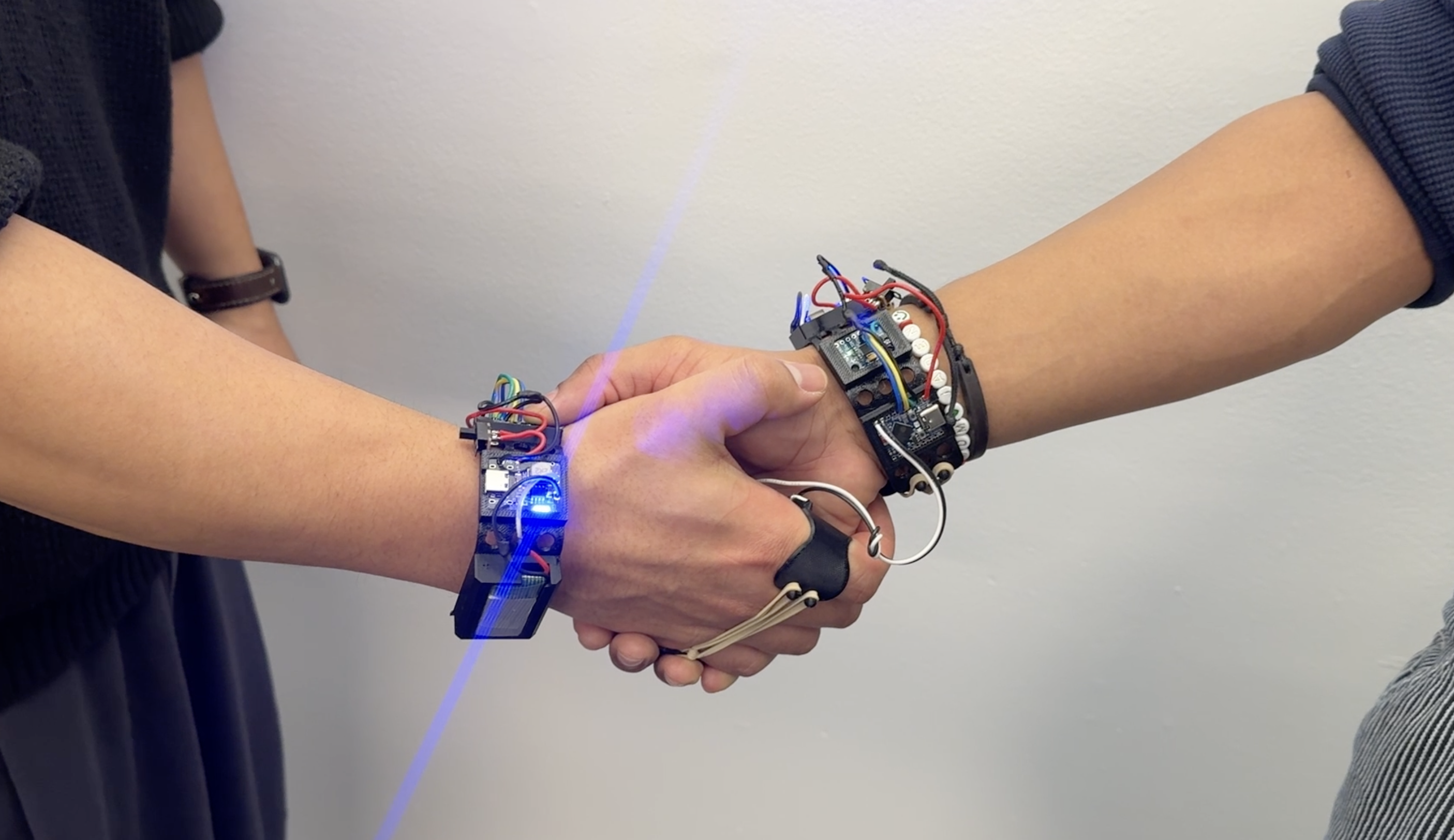
A handshake can be used in a new way through this device.
Enhance professional networking sessions, making it easier to connect without having stop and share your data
About Handshake
Begining likely as early 9th century in the Middle East, the handshake represents symbolizes a form of peace, trust, and back then, that the dominant hand was weapon free.
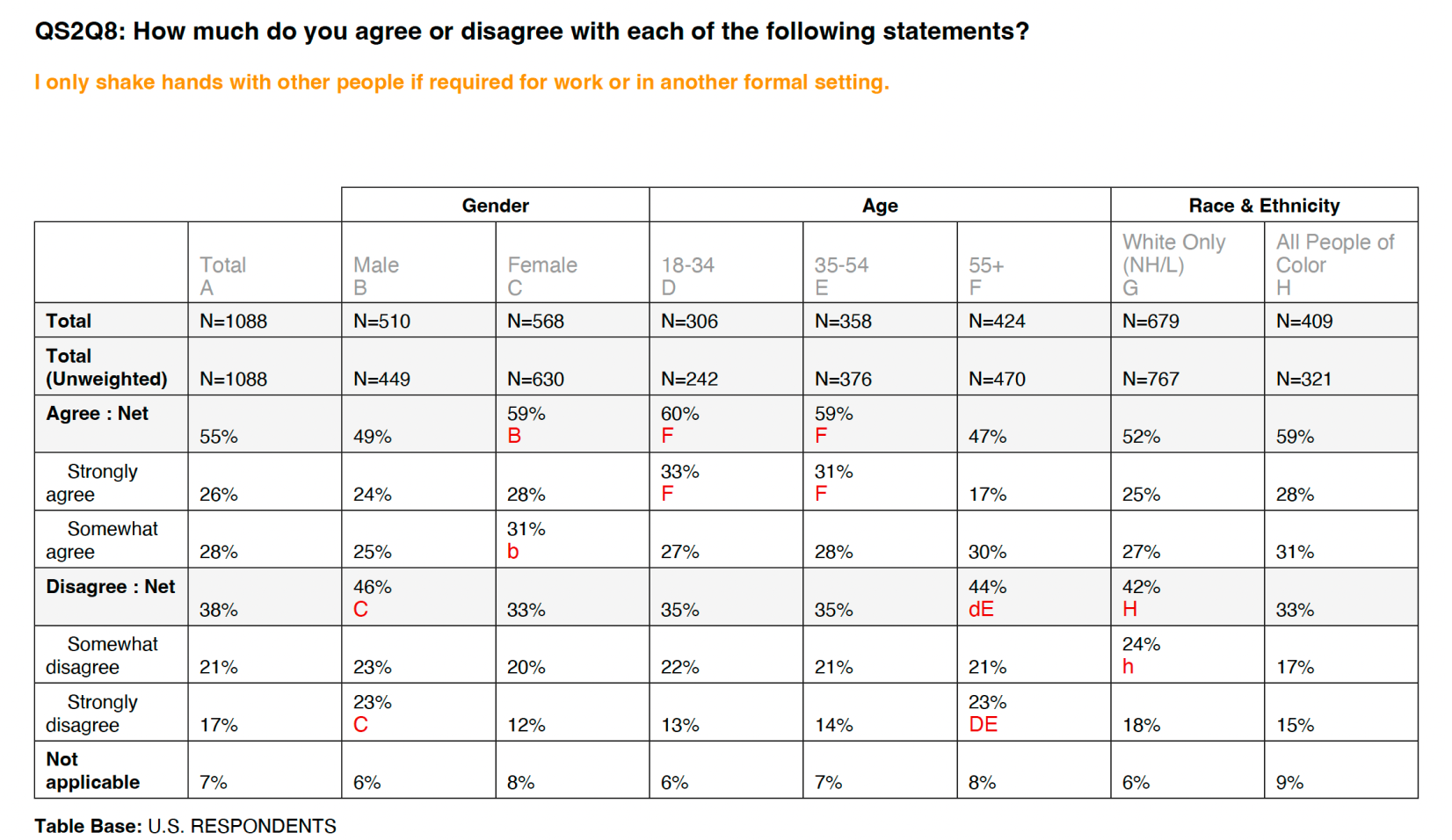
But after the pandemic, the meaning of handshake has begun to change.
More than 50% have started using handshake in situations where they are 'business' or 'formal.'

Why
We aim to give the handshake new purpose for participants. Make a wearable device that gives participants the ability to share socials and information when shaking hands
Our intention is to make participants to consider, who do they want to shake hands with, why, and what does that symbolize about the handshake in modern times?
Where & Who
Networking Event
Where the event participants have the purpose of 'networking' in common.
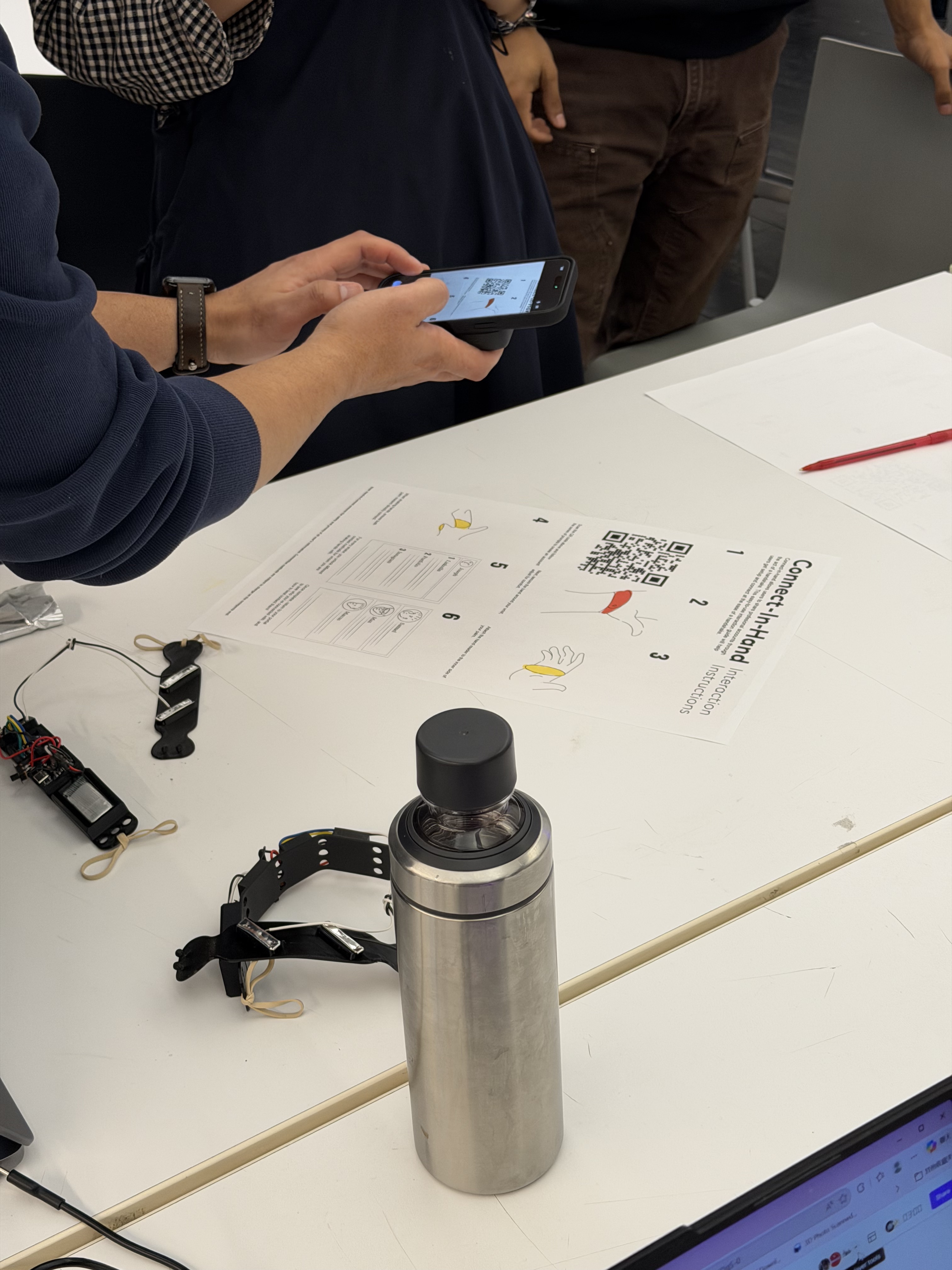
This device is intended to be worn by participants in networking events. Because of this, the clear guidelines were needed for how to wear and use the device properly. We wanted to communicate this information through an infographic manual.
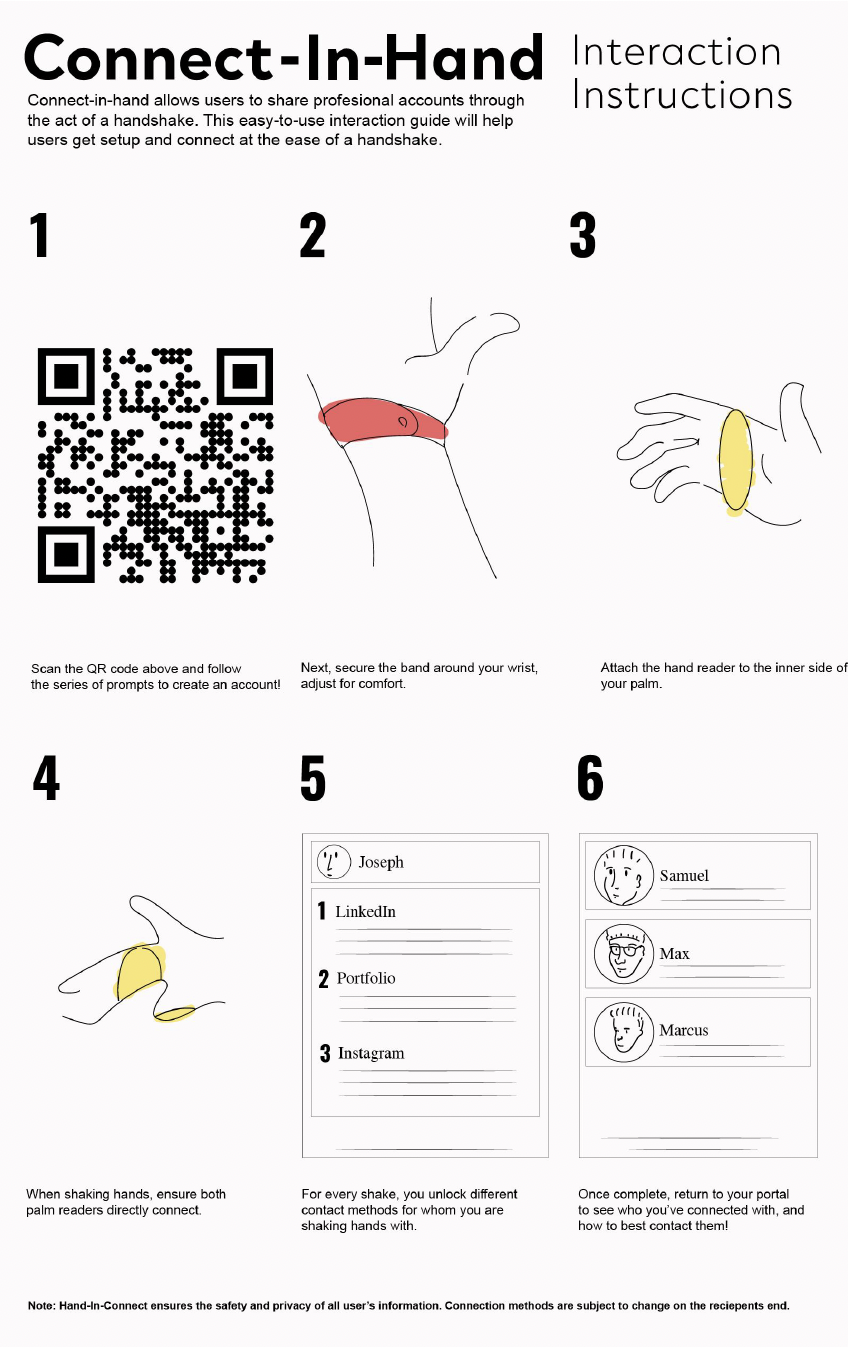
Infographics by Jaden Mathews
Through this, users can take part in the onboarding process by themselves. And because they attach the device on their own, their trust in using it may also become higher. In addition, during this process, guidance to the webpage can be introduced naturally through scanning a QR code.
Handshake to Data
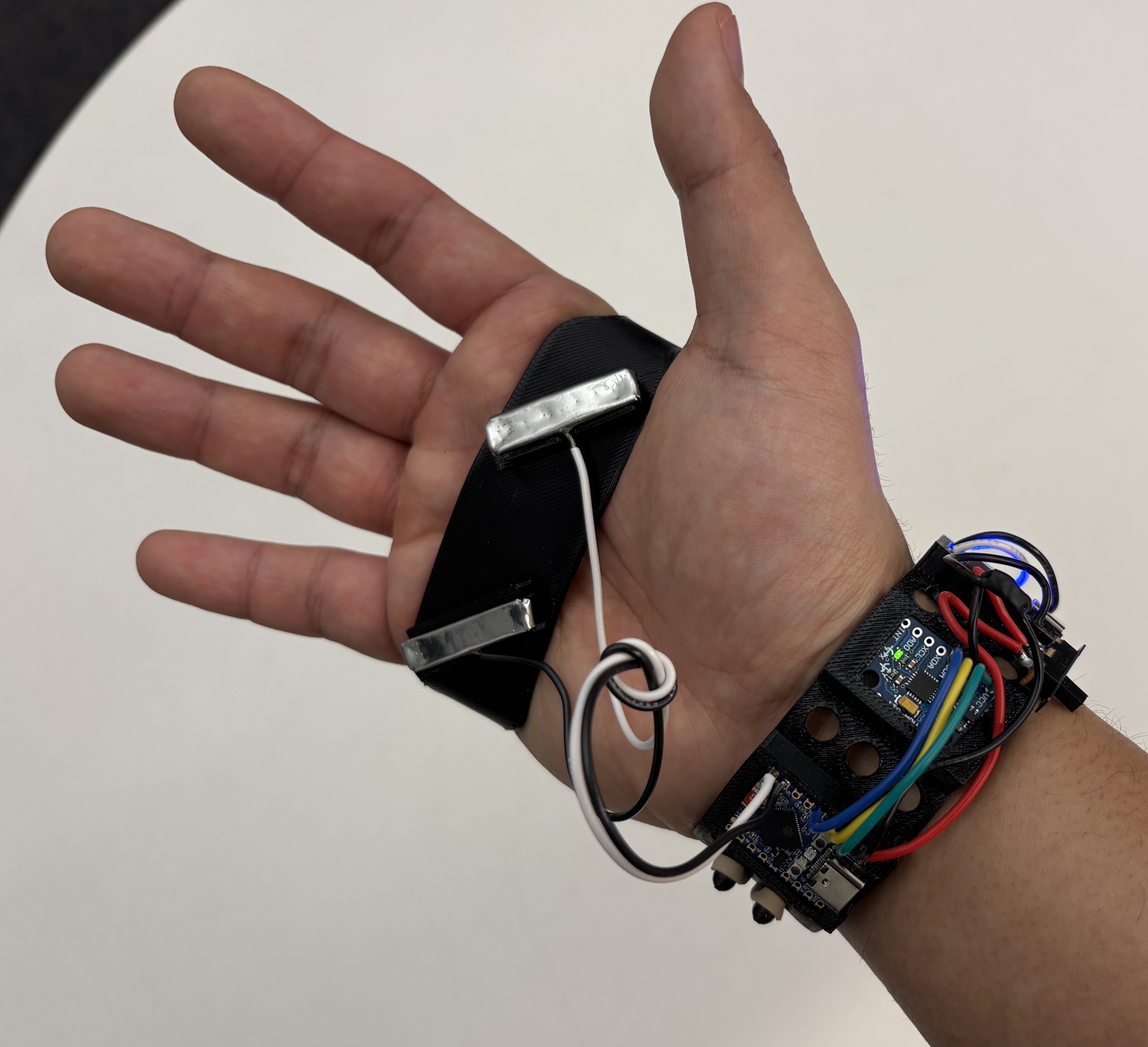
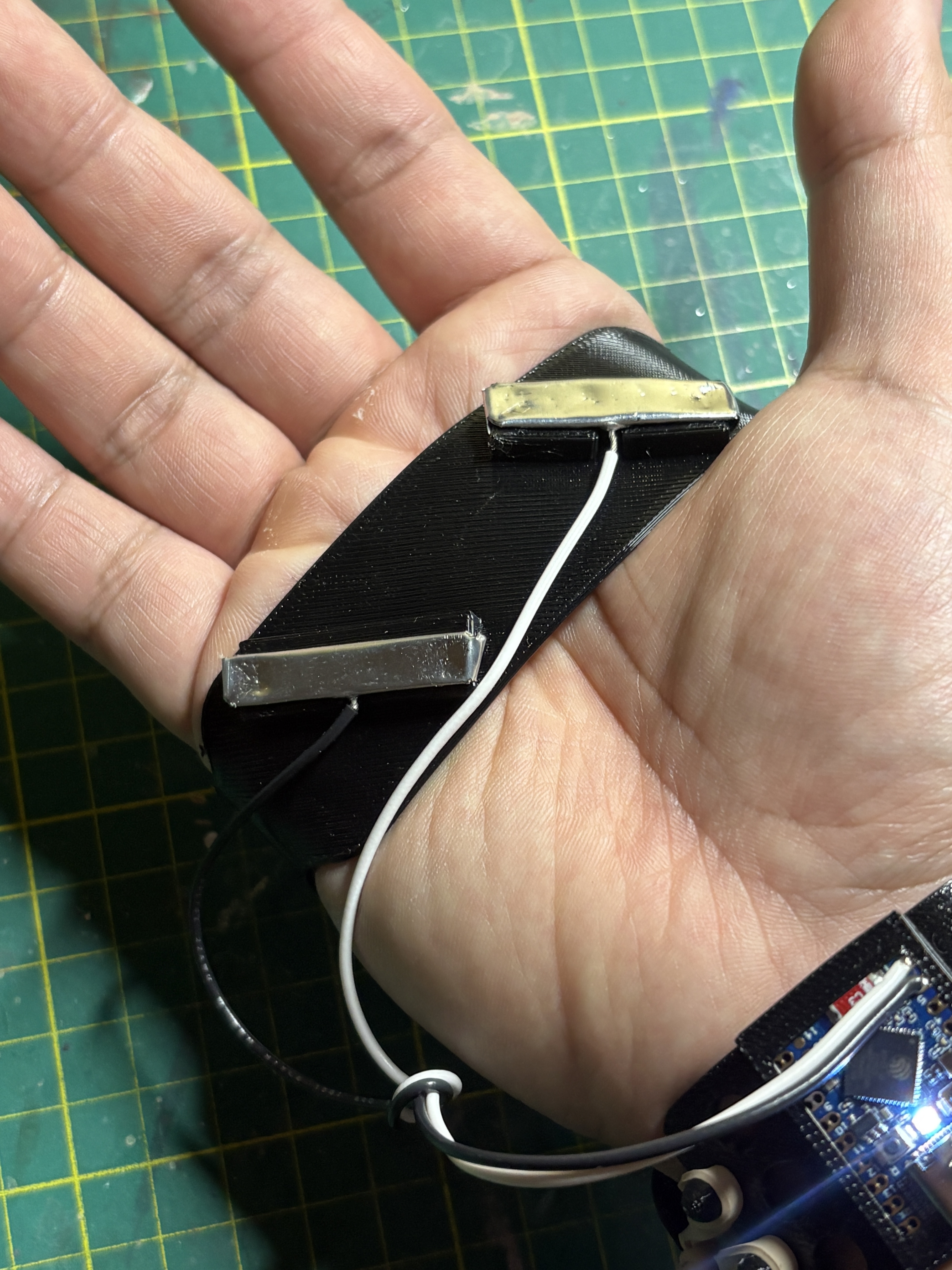
RX/TX with Conductive Plates
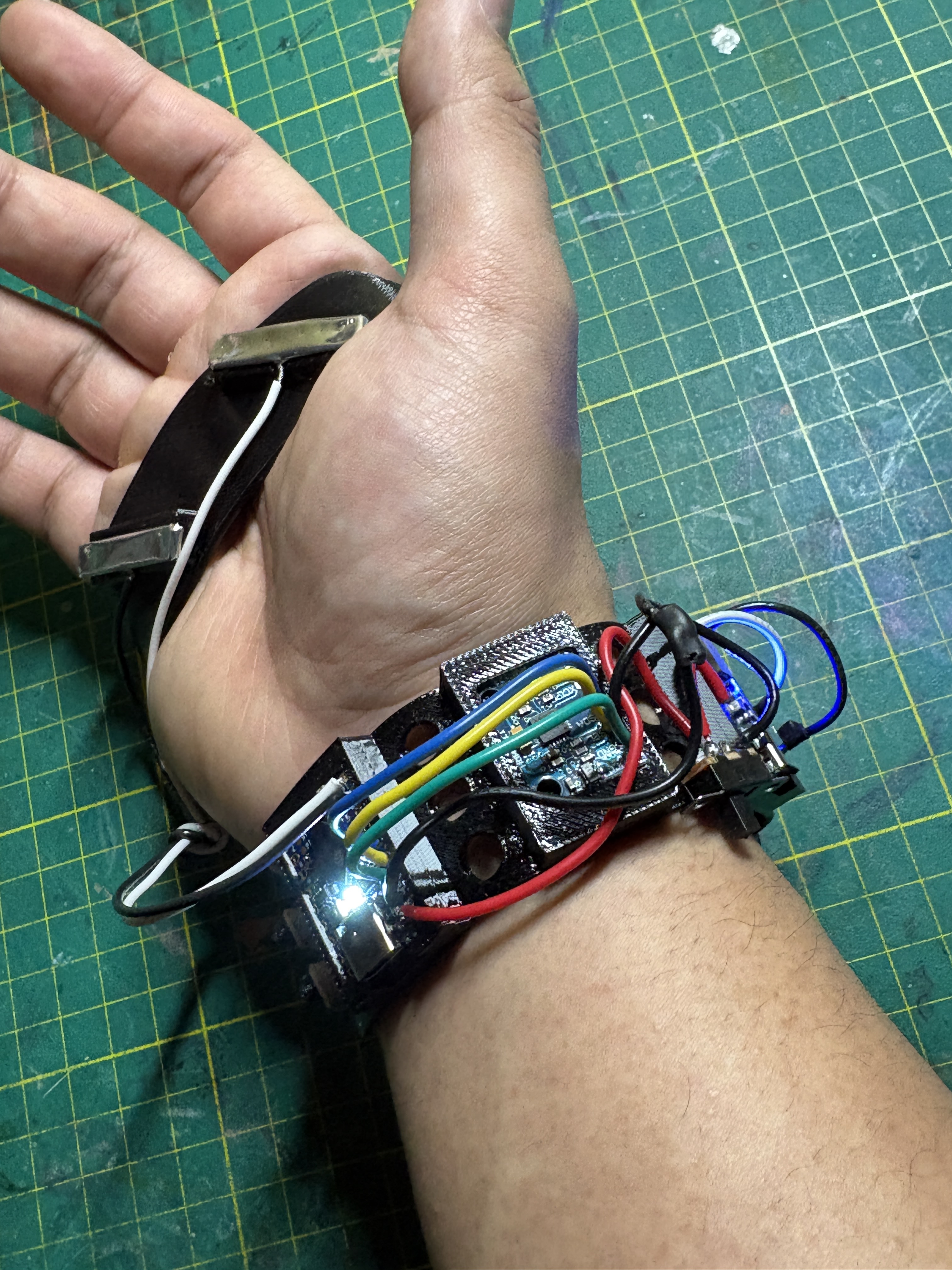
The first challenge of this project was how to detect a handshake and identify who the other person is. To identify the other person, we decided that using RX/TX communication would be the most efficient method. 2 conductive plates connected to RX/TX are attached to the palm. When a handshake happens in this state, the plates connect with the other person’s RX/TX, completing the circuit. At that moment, the devices transmit their assigned client IDs to each other. The received client ID is then sent to the DB to update each other’s client information.
We used MPU6050 to detect the act of handshaking. By sensing a sudden change in vertical acceleration, it determines that a handshake has occurred. After that, it updates the handshake count in the DB.
Webpage & Database
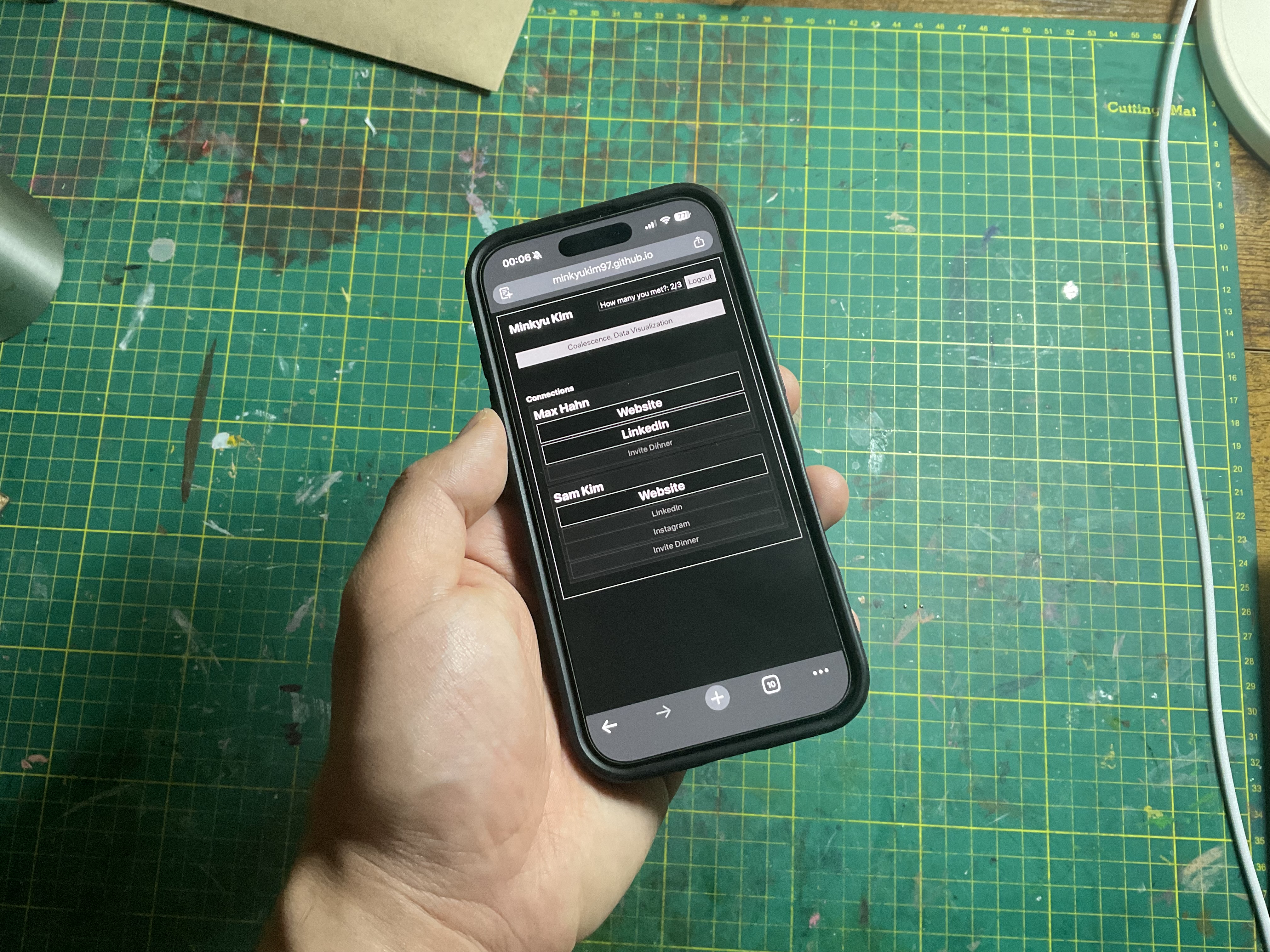
Participants should be able to see the updated status. Using Firebase Datastore, the information who they handshake with and the number of handshakes are continuously updated and shown through the webpage. Through this, participants can see how many people are currently at the event, who they have met, and how many handshakes they have made.
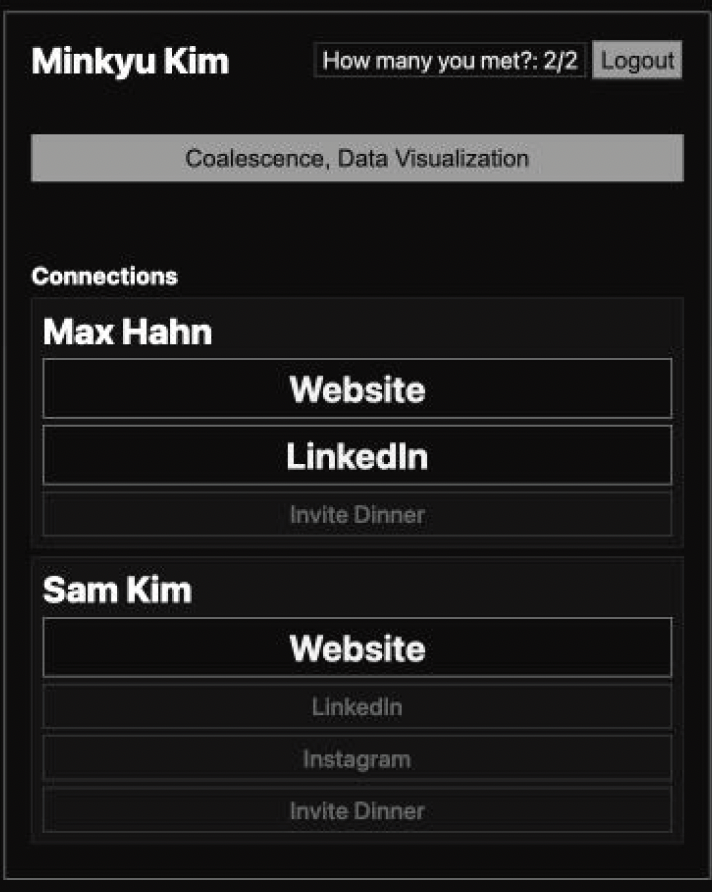
We also created a feature that unlocks the other person’s information based on the number of handshakes. After the first handshake, that person is added to the connection list. Then, each time they shake hands again, more information that the other person registered becomes unlocked and available to visit. Up to this point, the device is used as 'a tool'. However, it can also be used as 'a goal', such as the Google Calendar dinner schedule invite that is unlocked after 10 straight handshakes. We expect this can work as a fun experience.
Webpage User Sequence
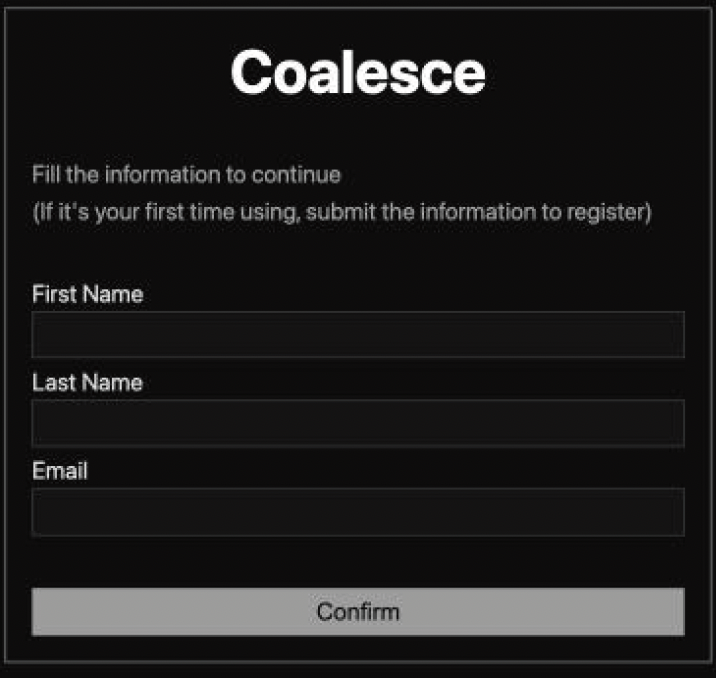
1. User Verification
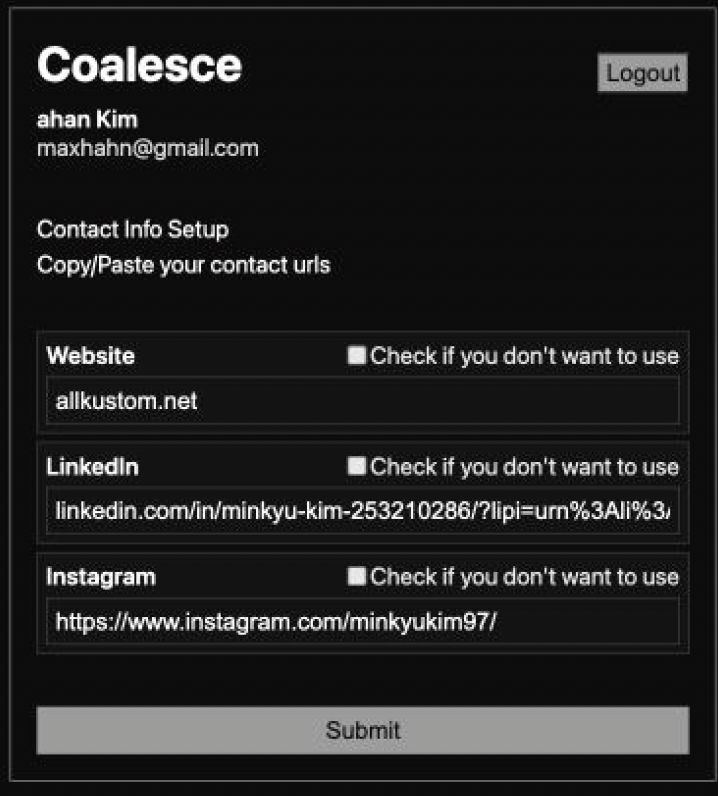
2. Submit User Info
3. Personal Page, Check Connections
Prototype & Playtest
1st Prototype

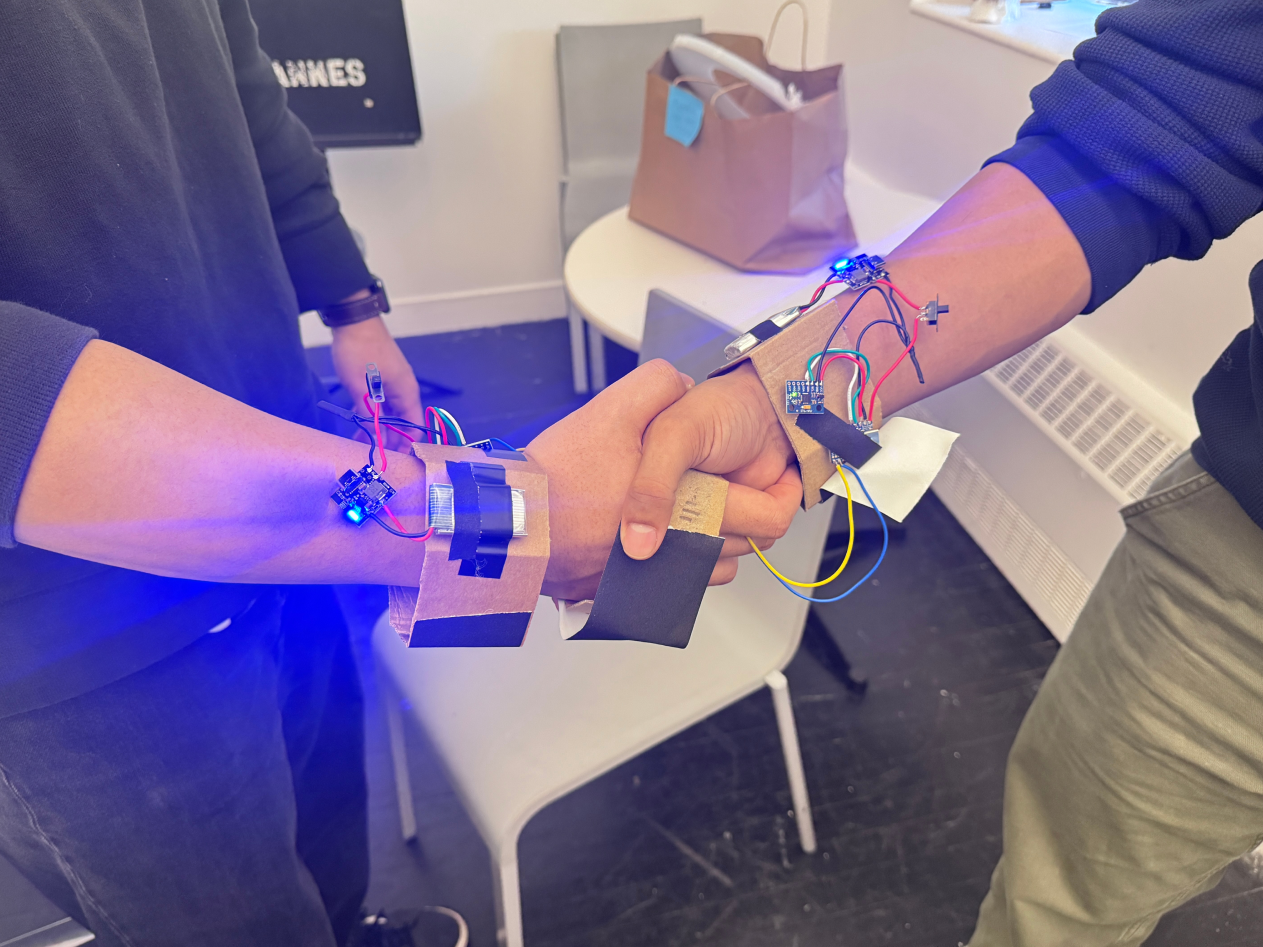
2nd Prototype

Component List
Board
ESP32 S3 Zero *1
Sensor
MPU6050 *1
Power Supply
3.7V Li-Po Battery *1
DWEII 5V 2A Step-up Charging Converter *1
2nd Prototype's Playtest
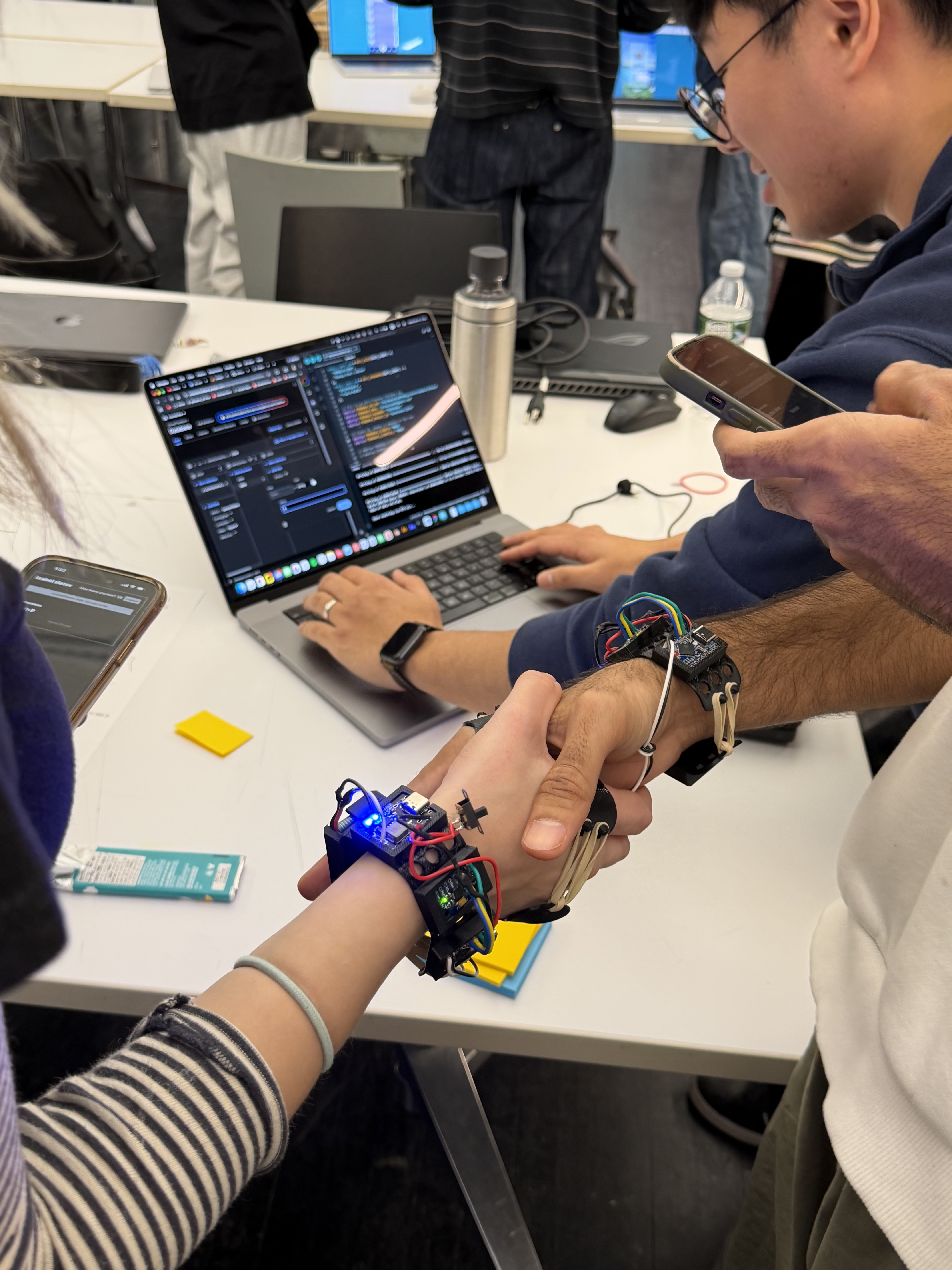
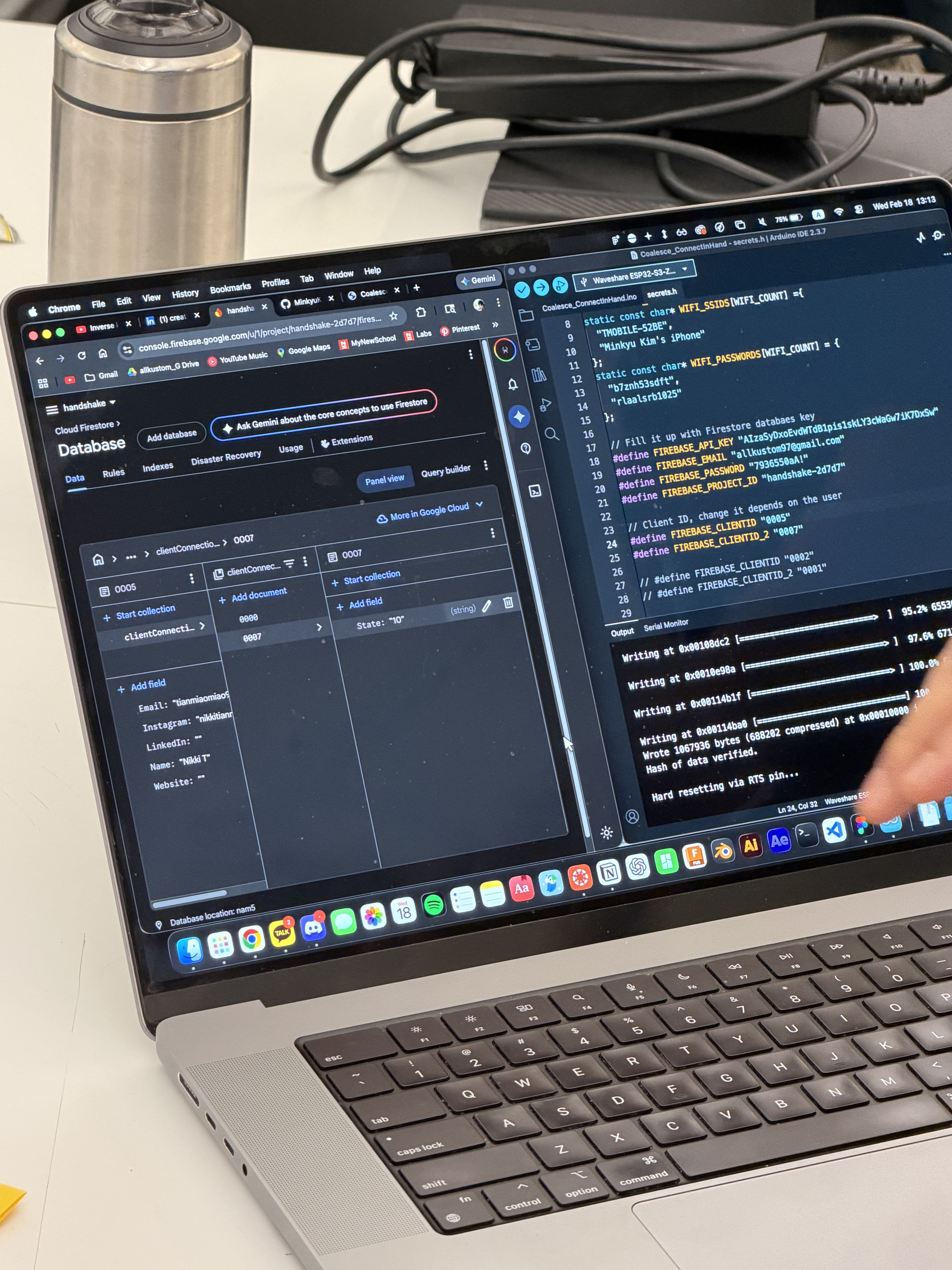
Received Feedback
The concept of exchanging information through the device received a positive response. However, there were also two negative reactions.
First, concern about sharing personal information. A participant may be willing to share their information with some people but not with others, which raised the question of how the device could be controlled in that situation. This could be solved by adding a function that allows the user to limit or control the device with a micro gesture or action which wouldn't be noticeable to the other person.
Second, expect physical feedback on handshake detection. If the RX/TX conductive plates couldn't make proper contact, the device won't work. In that state, even if a handshake happens, it is difficult to expect the intended result. This could be solved by adding a haptic feedback that responds when the RX/TX connection is detected.
Possible Improvements
-
Consider other ways of greeting
Ex. hug, fist bump, etc
-
When the participant doesn't want to shake hands, possibility of unwelcoming from others.
-
When the participant wants to shake hands, but doesn't want their information to be shared.
-
When the handshake becomes the purpose, not the tool
Imagine, just asking for handshakes without actual social interaction.
Role
Minkyu Kim
- Project Lead
- Creative Technologist
- Product Designer
- Programmer
Jaden Mathews
- Graphic Designer
- Creative Technologist
- Video Director
Chloe Jiang
- Unity Developer
Milly Zhang
- Unity Developer
Personal Contribution
Project Management
- Core idea & logic development
- Built the project timeline
- Assigned team roles
Prototyping
- Designed circuits
- Fabricated hardware prototypes
- Implemented DB access & real time information updates
- Improved the handshake detection logic
Backend
- Set up & integrated the Firestore database
Frontend
- Developed a real time webpage using React.js